01
Backgrounds
Replace or restyle a scene while keeping the subject readable. A free AI image editor handles background replacement cleanly when the prompt names the new environment, lighting, and what to preserve.
IMAGE EDIT AI
Upload a photo and describe how the free AI image editor should transform it — sign up free and get 60 credits, no watermark.
Click or drag to upload
PNG, JPG, WEBP supported
No tasks yet
Your generations will appear here.
FREE AI IMAGE EDITOR · ONLINE TOOL
VidPic's free AI image editor runs in the browser. Upload an existing photo, describe the change you want, and the free AI image editor renders a transformed version directly from your words — backgrounds, style, product polish, portrait restyling, and creative variants. No layers, no masks, no install, no watermark.
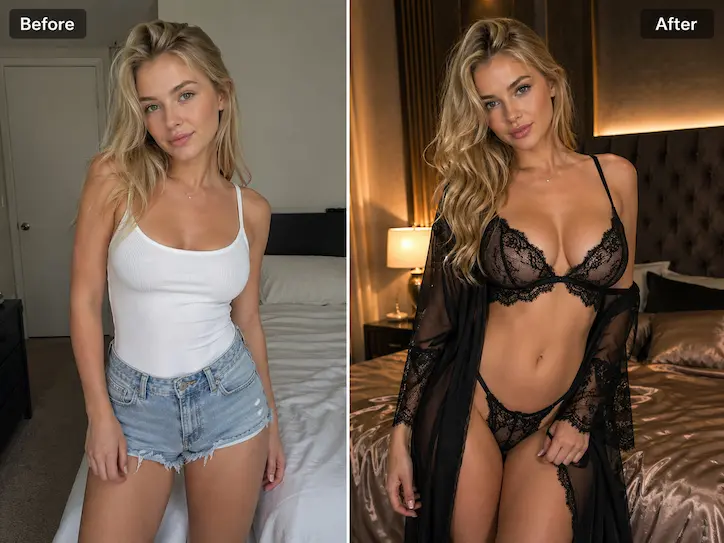
WHAT THE FREE AI IMAGE EDITOR CAN CHANGE
The strongest free AI image editor results come from defining what should stay recognizable and what should be transformed. The four areas below cover the majority of edits people send to a free AI image editor — and the prompt language each one rewards.
01
Replace or restyle a scene while keeping the subject readable. A free AI image editor handles background replacement cleanly when the prompt names the new environment, lighting, and what to preserve.
02
Shift a photo toward cinematic, editorial, product, or illustration-inspired looks. Style edits are where the free AI image editor saves the most time compared to manual retouching.
03
Reframe the creative direction with mood, lighting, color, and atmosphere. Free AI image editor prompts work best when they describe the feeling first and the technique second.
04
Create alternate visual versions for campaign, content, and concept testing. The free AI image editor is fastest for testing several visual directions from one source asset before choosing a final.
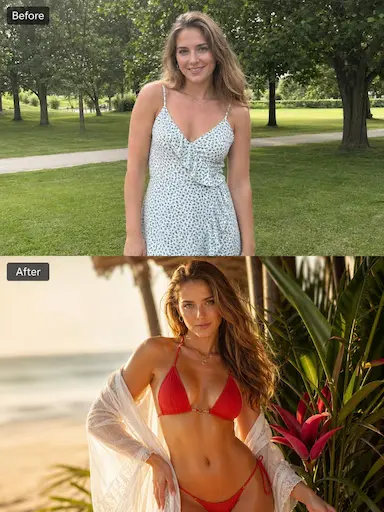
COMMON EDITING GOALS
Turn a product photo into a cleaner studio-style visual without booking a reshoot — the free AI image editor handles surface, light, and background swaps in one prompt.
Replace a plain background with a more cinematic or branded scene while keeping the subject identity intact.
Restyle a portrait into a more editorial, artistic, or premium direction — a free AI image editor is the fastest way to test moodboard ideas.
Create multiple visual versions from one source image before choosing a final concept for a landing page, ad, or social post.
HOW TO DESCRIBE THE EDIT
01
State what should stay the same — subject, face, product shape, or original pose. The free AI image editor keeps these protected when the prompt names them explicitly.
02
Describe the main change clearly before adding style details. One transformation per prompt yields the cleanest free AI image editor output.
03
Use specific visual words for lighting, color, background, and mood instead of vague adjectives. Concrete language is what the free AI image editor follows best.
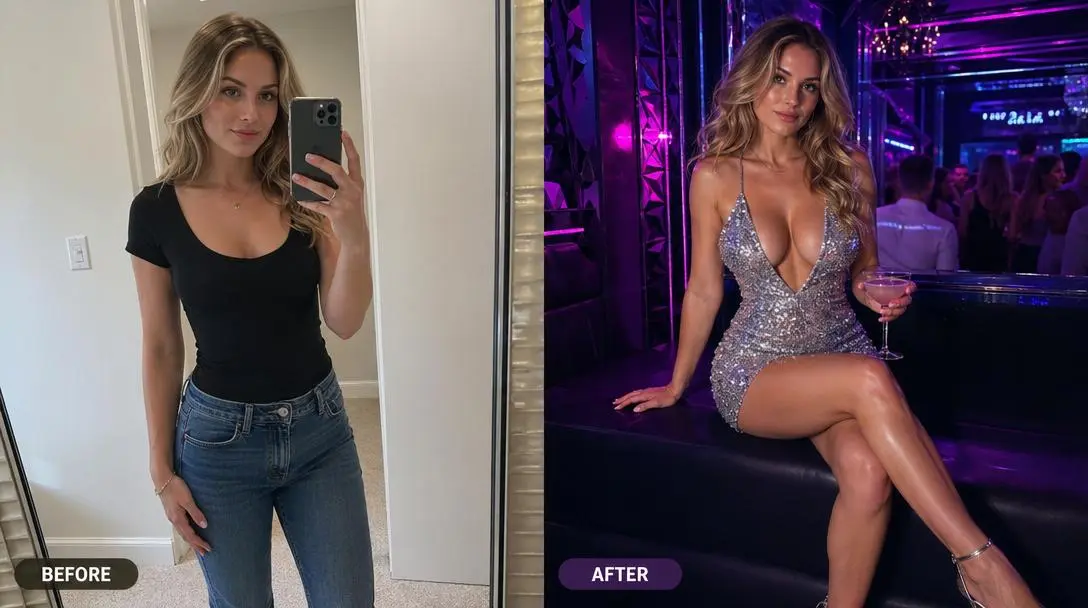
EDITING WORKFLOW
The source image already contains important visual information. A good free AI image editor prompt protects the subject while giving the AI one clear transformation to perform. The four workflows below cover the most common reasons people open a free AI image editor in the first place.
01
Background editing works best when the subject is easy to separate from the original scene. Describe the new environment, lighting, and mood while also naming what should stay unchanged. This helps the free AI image editor produce intentional output instead of a full image rewrite.
02
For product photos, focus on preserving shape, color, and key details. Ask the free AI image editor for cleaner lighting, a simpler surface, a more premium background, or a sharper commercial feel. Product editing should improve presentation without changing what the item is.
03
Portrait edits need restraint. Keep the face, pose, and identity stable, then describe the new mood, lighting, background, or editorial style. A free AI image editor is most useful when the source portrait is good but needs a more polished creative direction.
04
A free AI image editor is valuable for testing several visual directions from one source asset. Create alternate moods, backgrounds, color palettes, or styles before choosing the strongest version for a landing page, ad, or social post.
Protect the important parts of the source image. Tell the free AI image editor what should stay the same before describing the change.
Keep the edit focused. One strong transformation is easier for the free AI image editor to control than several unrelated changes.
Use concrete style words. Lighting, background, palette, material, and camera language are more useful for a free AI image editor than vague adjectives.
Review edges, identity, and object shape after generation. Small flaws can be refined with another free AI image editor pass; major drift usually means the prompt needs simplifying.
How it works
01
Upload the existing image you want to transform with the free AI image editor.
02
Tell the free AI image editor what to keep, what to change, and the visual style of the final result.
03
Click generate. The free AI image editor renders a transformed version of the photo from your prompt in seconds.
04
Download the watermark-free image, or run another free AI image editor pass on the result to refine one element.
FAQ
You can start for free. Generating requires a free account, and every new account gets 60 free credits on signup — enough for 2 videos at 720p or 6 images. When those run out, you can top up on the Pricing page; credits never expire. Each edit costs 10 credits.
No. Edited images do not carry a watermark. Free AI image editor output is clean and ready to use in landing pages, ads, social posts, blog visuals, or client decks without post-processing.
Background replacement, style restyling, lighting and mood shifts, product polish, and portrait variants are the strongest patterns. A free AI image editor is most predictable when the prompt names what to keep and what to change in clear visual language.
No. The entire free AI image editor runs in the browser. Upload a photo, write an edit prompt, and the result is rendered and previewed on the same page — no plugins, no desktop app, no layers or masking required.
Edited images are yours to use, including in marketing, advertising, social, and client work. Many teams use a free AI image editor specifically because it lets them produce campaign variants from existing assets without licensing stock photography or booking a reshoot.
Use a clear photo with a readable subject. Product photos, portraits, and simple compositions usually make the editing intent easier to follow because the free AI image editor can identify the main subject faster.
A free AI image editor starts from an existing image and transforms it with a prompt. Text to image starts from a prompt only, with no source. Use the free AI image editor when the source must remain recognizable; switch to text to image when the visual is being created from scratch.
Yes. Each free AI image editor pass takes the latest result and applies a new prompt, which is useful when one element needs adjustment instead of a full re-roll. Layered edits keep the workflow controlled instead of starting over every time.
Write what to keep, what to change, and what final style you want. Clear edit instructions usually work better than vague phrases because they separate preservation from transformation — the core mental model the free AI image editor responds to.
RELATED AI TOOLS
Generate a new source image from a prompt before refining it with the free AI image editor.
→02Animate an edited image into a short AI video clip — pair the free AI image editor with motion in one workflow.
→03Generate a video clip directly from a prompt when motion is the goal instead of a still image.
→START FREE
Upload a source image, describe the change, and the free AI image editor renders a transformed version in seconds — 60 free credits on signup, no watermark, no install.